

Fallout 2 CE build-20 by jaca772
Fallout 2 Community Edition with DualShock 4 controls, played with the data from your own copy of Fallout 2
Install on your PS4
Package (.pkg): with GoldHEN running, copy IV0001-FALL20002_00-FALL200020100000.pkg to the root of a USB drive (exFAT or FAT32), plug it into the PS4 and install it from Settings › Debug Settings › Game › Package Installer.
From a computer or phone: give this link to a remote package sender (GoldHEN's Remote Package Install, or Remote Package Installer on port 12800):
https://store.brewology.com/dl/6544/IV0001-FALL20002_00-FALL200020100000.pkg
Files
| File | Size | SHA-256 | |
|---|---|---|---|
| IV0001-FALL20002_00-FALL200020100000.pkg | 8.1 MB | baab8a42…a7ae | Download |
Screenshots
About Fallout 2 CE
Saves go in SAVEGAME inside the game folder and stay put when you reinstall. The developer has it running on firmware 9.00 and expects other GoldHEN firmware from 5.05 to 11.00 to work.
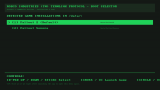
Hold L1 or L2 while it starts for the boot menu, which also opens by itself the first time. It finds game folders in /data and on USB drives, mods included. Put the mod's name in the folder name (falloutsonora for Sonora, say), or its title in a title.txt, so the menu shows it properly. Nevada, Olympus 2207, Fallout 1 (et tu) and RPU are recognised, but the developer hasn't tried those mods. Square in the boot menu opens a settings screen for resolution, stick roles, aim and loot assist, cursor speed and Community Edition extras such as doors opening by themselves.
- Left stick: move the view, right stick: cursor
- Cross: click, or hold on something for Talk, Look and Use
- Circle: right click and back
- Square: Skilldex, Triangle: character sheet, L1: inventory, touchpad click: Pipboy
- Hold L2: snap to the nearest enemy (D-pad picks another), add R2 for a called shot
- Hold L2 + L1: snap to the nearest container, body or door
- R1: reload, R3: start combat or end your turn, Options: game menu
Every binding can be changed in ps4_controls.cfg, which appears in the game folder after the first start.
Release notes
build-20 · Fallout 2: Community Edition - PS4 Port (GoldHEN) (build #20) · Oct 15, 2026
A complete Fallout 2 CE port for PlayStation 4. The engine renders natively
via sceVideoOut
Aim Assist — three modes on L2
A new target-snapping system that makes the game feel console-native on a pad.
Everything runs on holding L2 (+ modifiers), and you cycle targets with the D-pad.
Enemies — Combat Aim (hold L2)
- The reticle snaps to the nearest enemy.
- D-pad ←/→ cycles through targets; you see the % to-hit.
- Cross fires, and Cross + R2 opens an aimed (called) shot — VATS body-part window.
- The target list is frozen when you engage: it never jumps as the camera moves (only dead/out-of-reach targets drop off).
NPCs — Interaction Aim (hold L2 outside combat)
- The cursor snaps to the nearest person to talk / barter / interact with.
- D-pad cycles people, Cross opens the interaction.
Items & Objects — Loot Assist (hold L2 + L1)
- Snaps to the nearest container, corpse or door — works in and out of combat.
- D-pad ←/→ cycles objects, Cross opens/loots — or applies an active Skilldex skill (e.g. Lockpick) to it.
- Reach and skip-empty behavior are configurable.
> All three modes (Combat Auto-Aim, World Auto-Aim, Loot Assist) can be toggled
> from Settings; scope (screen vs. whole map) is tunable in ps4_controls.cfg.
RobCo Boot Menu — multi-game & on-console config
- Auto-detects game folders in
/data/,/mnt/usb0/,/mnt/usb1/— Fallout 2, Sonora, Nevada, Olympus 2207, Fallout 1 (et tu), RPU (custom names viatitle.txt). - Hold L1 or L2 at launch to open the Boot Menu at any time; on first boot it opens by itself (no countdown).
- D-pad selects a game, Cross launches it, Square opens the **RobCo Configuration Terminal** — 16 options with no file editing: TV resolution & scaling, stick roles, aim/loot assist, melee approach, cursor & touchpad speed, on-screen keyboard, Circle behavior, and CE QoL packs (auto-open doors, party loot/barter, inventory columns, always-run + fast combat…).
- Saves land in
/game_folder/SAVEGAME/and survive reinstalling the package.
Default Pad Mapping
| Input | Action |
|---|---|
| Left Stick | Camera with centered cursor |
| Right Stick | Cursor (trackpad-style) |
| Touchpad (slide / tap) | Cursor / LMB |
| Touchpad (physical click) | Pipboy |
| Cross | LMB / confirm / attack (hold on object = action menu) |
| Circle | RMB / back |
| Square | Skilldex |
| Triangle | Character sheet |
| L1 | Inventory |
| R1 | Reload |
| L2 | Aim (enemies / NPCs) |
| L2 + R2 | Aimed shot — VATS (Cross while aiming) |
| L2 + L1 | Loot assist |
| L3 / R3 | Swap hands / combat (end turn) |
| Options | Escape (menu) |
| D-pad | Arrows / navigate / cycle targets |
Install
- Copy your game data to
/data/fallout2/or put it on usb drive. - Install the
.pkgvia GoldHEN → Debug Settings → Package Installer.
Full setup and control tuning: see README and docs/controller-mapping.md in the repo.
PS4 pkg -- CE @ d08c9ea6c595