

ez-webdav-server v1.02 by cy33hc
WebDAV server payload: mount the PS4's storage on a PC as a network drive and work on its files directly
Install on your PS4
Payload (.elf): start an ELF loader on the PS4 first, such as elfldr, which listens on port 9021. Then from a computer on the same network, send it the file: nc <PS4 address> 9021 < webdav-server-ps4.elf, or the link, and elfldr downloads it: echo https://store.brewology.com/dl/16567/webdav-server-ps4.elf | nc <PS4 address> 9021.
Files
| File | Size | SHA-256 | |
|---|---|---|---|
| webdav-server-ps4.elf | 257 KB | 61b22a3c…f33f | Download |
Screenshots
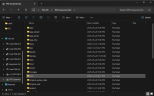
About ez-webdav-server
A WebDAV server sent to the PS4 as a payload, from cy33hc, who also makes ezRemote. Once it says "WebDAV Server Starting" on port 8880, a Windows, Linux or Mac computer can mount the console's storage as a network drive and open, copy, move and rename files on it as if they were local. It does WebDAV Class 1 and answers as Class 2 so Windows will map it.
On a PS4, send webdav-server-ps4.elf to GoldHEN's BinLoader. To stop it, open http://<PS4 IP>:8880/stop in a browser or with curl. Version 1.02 raised the socket buffers to 2 MB for faster transfers.
On Windows the developer recommends rclone: make a WebDAV remote with http://<PS4 IP>:8880, choose option 3 (Owncloud 10), leave the user name and password empty, then mount it with --vfs-cache-mode off. Explorer's own WebDAV drive stops at 50 MB files and 60 second uploads unless you change its settings, and the developer found large files poor even then. It also caches writes, so a copy can look finished before it is. On Linux, type dav://<PS4 IP>:8880 into the file browser.
The author has since noted that rclone can mount an FTP server too, so this isn't strictly needed.
Release notes
v1.02 · Oct 10, 2026
- increased the socket snd/rcv buffer to 2mb. improves the upload/download speed on ps4/ps5