
Control4Free v1.3.1 by MoHadiShibli
Use a phone, tablet or computer browser as up to four extra DualShock 4 controllers, from the sign-in screen to games
Install on your PS4
Package (.pkg): with GoldHEN running, copy Control4Free-1.3.1.pkg to the root of a USB drive (exFAT or FAT32), plug it into the PS4 and install it from Settings › Debug Settings › Game › Package Installer.
From a computer or phone: give this link to a remote package sender (GoldHEN's Remote Package Install, or Remote Package Installer on port 12800):
https://store.brewology.com/dl/6271/Control4Free-1.3.1.pkg
Payload (.elf): start an ELF loader on the PS4 first, such as elfldr, which listens on port 9021. Then from a computer on the same network, send it the file: nc <PS4 address> 9021 < control4free.elf, or the link, and elfldr downloads it: echo https://store.brewology.com/dl/6272/control4free.elf | nc <PS4 address> 9021.
Files
| File | Size | SHA-256 | |
|---|---|---|---|
| Control4Free-1.3.1.pkg | 6.7 MB | 8844a74a…9671 | Download |
| control4free.elf | 1.8 MB | 835ca713…8222 | Download |
Screenshots

About Control4Free
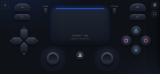
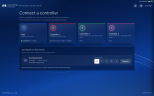
The page has an on-screen DualShock 4 with both sticks and a two-finger touchpad, and you can move, resize or hide its buttons. A keyboard works, and so does a gamepad plugged into the phone or PC: Xbox, DualSense, Switch Pro and others, mapped on a picture of a DS4. When a game rumbles, Android phones buzz, and the page glows in the light bar colour. Motion controls and trigger rumble are experimental switches in Settings.
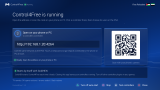
The PS4 app shows the address, how many controllers are connected, and starts or stops the service. One button adds it to GoldHEN's AutoRun so it's back after a restart. Options in the app opens a controller tester. It needs GoldHEN 2.4b18.10 or later, with PayLoader Server switched on to start it from the app. Port 4264 (TCP and UDP) has to be reachable from the phone, so guest Wi-Fi can block it.
Turn off other GoldHEN controller plugins in games you use it with. There's no password, so anyone on your network can take a free controller. Rest mode signs everyone out, and you pick controllers again after it wakes.
Release notes
v1.3.1 · Control4Free 1.3.1 · Oct 23, 2026
- Arabic and Brazilian Portuguese for the web interface and PS4 app.
- Move, resize and hide face buttons individually, or keep them grouped.
- Reset individual controls in the layout editor.
- Updated Xbox-button troubleshooting for Chrome and Edge on Windows.