

Install on your PS4
Package (.pkg): with GoldHEN running, copy IV0000-APOL00004_00-APOLLO0000000PS4.pkg to the root of a USB drive (exFAT or FAT32), plug it into the PS4 and install it from Settings › Debug Settings › Game › Package Installer.
From a computer or phone: give this link to a remote package sender (GoldHEN's Remote Package Install, or Remote Package Installer on port 12800):
https://store.brewology.com/dl/5906/IV0000-APOL00004_00-APOLLO0000000PS4.pkg
Files
| File | Size | SHA-256 | |
|---|---|---|---|
| IV0000-APOL00004_00-APOLLO0000000PS4.pkg | 21.8 MB | ec34add4…c090 | Download |
Screenshots
About Apollo Save Tool
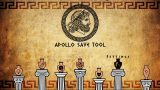
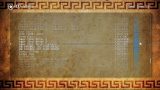
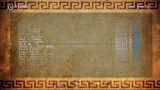
Lists the saves on the internal drive and on USB, and backs them up, restores them or moves them between your own PS4 users. On first run it picks up your user and account details by itself, and everything happens on the console.
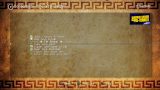
Pick a save and press Cross to see the save patches there are for it, then tick the ones you want and apply them. Each release adds save handling for more games.
It also looks after memory card images from older consoles: PS1 and PS2 virtual memory cards and Dreamcast VMU images, and single saves can be imported into them or exported out. It finds Resonance's Dreamcast memory cards in /data/Resonance/data/ on its own.
On a USB drive, saves go in PS4/APOLLO/ or PS4/SAVEDATA/<account-id>/ depending on their format, and /data/fakeusb/ on the internal drive works the same way. There's a hex editor and Python scripting for save editing, and the menus come in twelve languages.
Pick a save and press Cross to see the save patches there are for it, then tick the ones you want and apply them. Each release adds save handling for more games.
It also looks after memory card images from older consoles: PS1 and PS2 virtual memory cards and Dreamcast VMU images, and single saves can be imported into them or exported out. It finds Resonance's Dreamcast memory cards in /data/Resonance/data/ on its own.
On a USB drive, saves go in PS4/APOLLO/ or PS4/SAVEDATA/<account-id>/ depending on their format, and /data/fakeusb/ on the internal drive works the same way. There's a hex editor and Python scripting for save editing, and the menus come in twelve languages.
Release notes
v2.4.0 · Apollo Save Tool v2.4.0 · Oct 17, 2026
Added
- Manage Dreamcast Virtual Memory Card images (VMU)
- Supports
.BINand external formats (.DCM,.VMU) - List, import, export, and delete DC saves inside VMU images
- Import/Export - Supported formats:
.VMI/VMS,.DCI - Render PS2 3D icons properly (PS2 VMCs)
- Apollo Patch Engine v3.0.0
- MGS Peace Walker decryption support for PSP saves.
- Fletcher-16 and Fletcher-32 checksums.
- New
[SW:],[BSD:],[LE:]and[BE:]title prefixes, which can be combined. - Save Wizard lines inside BSD scripts.
- Fix Several BSD byte-order bugs.
- Fix MicroPython
struct.pack_intobug on 32-bit targets. - Parser fixes for tabs and for unreadable
set pointerarguments. - Custom save decryption support
- Dead or Alive 5 Last Round
- Goat Simulator 3
- JoJo's Bizarre Adventure: All-Star Battle
- Jump Force
- Custom save decompression support
- Dishonored 2
- Custom checksum support
- Digimon World: Next Order
- Dishonored 2
- JoJo's Bizarre Adventure: All-Star Battle
- Middle-earth: Shadow of Mordor
- Middle-earth: Shadow of War
- Monster Hunter Rise
- Resident Evil 3 Remake
- Resident Evil 6
- Resident Evil Resistance
- Resident Evil Revelations 2
- Resident Evil Village
Fixed
- Fixed bulk save export on PS1 memcards.
- PS2 single save format fixes. (AR Max, CodeBreaker, PSU, XPS)
- Fixed minor PS1 memcard issues.
- Fixed a bug when reloading a virtual memcard after an update.
Misc
- Add missing translation strings.