

ALLESIU v1.5 by worldchane
Emulator for SNES, NES, Game Boy, GBA, Sega's 8 and 16-bit consoles, Neo Geo Pocket, Atari 7800, Lynx and arcade boards
Install on your PS4
Package (.pkg): with GoldHEN running, copy ALLESIU-1.5.pkg to the root of a USB drive (exFAT or FAT32), plug it into the PS4 and install it from Settings › Debug Settings › Game › Package Installer.
From a computer or phone: give this link to a remote package sender (GoldHEN's Remote Package Install, or Remote Package Installer on port 12800):
https://store.brewology.com/dl/6476/ALLESIU-1.5.pkg
Files
| File | Size | SHA-256 | |
|---|---|---|---|
| ALLESIU-1.5.pkg | 82.5 MB | 1c3e977b…291a | Download |
Screenshots

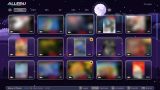

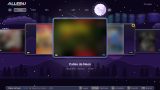
About ALLESIU
Your own games can go anywhere on a USB drive, loose or in .zip, .7z or .rar. It searches the whole drive and works out the console from the file extension, and Batocera or ES-DE folder names like roms/snes or roms/megadrive make that quicker. Games can also be copied onto the console, under /data/allesiu/. Arcade games have to be sets from the FinalBurn Neo version it uses, and it tells you exactly what's missing before a game opens.
The Atari Lynx, Famicom Disk System and Neo Geo arcade games need files from your own hardware, listed in the developer's guide. It recognises them by their contents, whatever they're called and wherever they sit on the USB drive, and copies them over.
In a game, hold R2 to fast-forward up to 4x, hold L2 to rewind, and press L3 + R3 for the pause menu with save states and filters. There's run-ahead, bezels, an xBR-style HD filter and box art from the RetroArch thumbnail server. The library music is ten chip-style tracks the app synthesises itself.
To update, delete the old version first, then install the new package. Saves, states, favourites and box art are kept. The developer runs it on firmware 9.00 with GoldHEN.
Release notes
v1.5 · ALLESIU 1.5 · Oct 20, 2026
ALLESIU 1.5 trae una interfaz nueva con estilos, carpetas ordenadas, BIOS y carátulas automáticas y muchas funciones de juego.
Interfaz
- 21 interfaces (L2), 12 formas de menú (R2) y 50 estilos de botones (○). Por defecto, Aero clásico: cajas de vidrio transparente con reflejo en los bordes sobre el paisaje pixel art.
- □ agrega o quita favoritos, R3 elige un juego al azar y L3 cambia la canción.
- Las vistas de lista muestran la descripción de cada juego si hay un
gamelist.xmljunto a tus juegos (Batocera, ES-DE). - Asistente de primera vez, pantalla de novedades al actualizar y aviso al conectar un USB.
- Configuración ordenada en secciones, con imagen propia por consola.
- La interfaz es más fluida.
Juegos, BIOS y carátulas
- Carpetas con los nombres de Batocera y ES-DE:
roms/snes,roms/megadrive,roms/gba... en el USB y en la consola. Los datos de versiones anteriores se mudan solos a/data/allesiu. - BIOS reconocidas por su contenido, con cualquier nombre y en cualquier carpeta del USB; en Configuración → BIOS se ve cuáles faltan.
- Carátulas que se bajan solas cuando hay internet, que se copian desde el USB (RetroArch, ES-DE, Batocera) y que se pueden elegir a mano.
Jugando
- Trucos
.chtde RetroArch desde el menú de pausa. - Continuar donde quedaste, ranuras de estado que se pueden bloquear y bezels.
- Run-ahead para menos retraso de los controles.
- Copia de seguridad de partidas y ajustes al USB.
- SNES también con Snes9x, y CPS3 abre.
- Los juegos arcade con sonido DCS de Midway van a velocidad completa.
Arreglos
- Cierres al navegar muy rápido por la biblioteca.
- Las pistas de botones de algunas ventanas se salían del borde.
Descarga
- ALLESIU-1.5.pkg
Para actualizar, borra la versión anterior de la PS4 y después instala el PKG con GoldHEN (Ajustes de depuración → Instalador de paquetes). Tus partidas, estados, favoritos y carátulas se conservan.
No incluye ninguna ROM ni BIOS. Probado en firmware 9.00 con GoldHEN.