
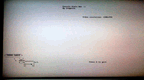
Sconsole v0.1 by Scognito
A simple function application for printing strings on your PS3 called, Sconsole. With Sconsole you will be able to print debug output onto your television screen for easy debugging.
Install on your PS3
| File | Size | |
|---|---|---|
| 809sconsoledemov0.1.pkg 8b0455d2…ef6f | 404 KB | Send to PS3 Download |
Other ways to install
On the PS3: open store.brewology.com/ps3/sconsole/ in its browser, press Download and install it from Package Manager › Install Package Files in the Game column.
From a USB drive: copy 809sconsoledemov0.1_brewology_com.pkg to the root of a USB drive (FAT32), plug it into the PS3 and install it from Package Manager › Install Package Files in the Game column.
Screenshots
About Sconsole
A simple function application for printing strings on your PS3 called, Sconsole. With Sconsole you will be able to print debug output onto your television screen for easy debugging.
Using Sconsole
Using Sconsole is very simple: just add the three files included in the zip file in your source directory and you are almost done.
Let's see an example.
The first thing to do is actually import the header file:
#include "sconsole.h"
Then we need to initialize it, here it is the syntax:
void sconsoleInit(int bgColor, int fgColor, int screenWidth, int screenHeight);
- bgcolor is the background color of the printed string,
- fcColor is the actual font color
- screenWidth and screenHeight are your screen resolution
Colors are in the 0xAARRGGBB format (alpha channel not available). Few colors are defined in sconsole.h but you can use yours. Also FONT_COLOR_NONE means no color ("transparent"),
ScreenWidth and ScreenHeight are actually the screen resolution you get with videoGetResolution function.
sconsoleInit(FONT_COLOR_NONE, FONT_COLOR_BLACK, res.width, res.height);
Printing function needs X and Y coordinates, plus the pointer to the framebuffer where write into.
print(400, 80, "Hello world", framebuffer);
Or using sprintf before actually print comples strings:
sprintf(tempString, "Video resolution: %dx%d", res.width, res.height);
print(540, 160, tempString, framebuffer);