

ps3vecx (tbwcjw) v1.00 by tbwcjw
A Vectrex emulator for the PS3 based on vecx, with a menu for carts and overlays, adjustable line thickness and phosphor decay
Install on your PS3
| File | Size | |
|---|---|---|
| ps3vecX_01.00.pkg aa140635…33fa | 993 KB | Send to PS3 Download |
| UPDATE_01.00.zip 1ec12c22…8ce2 | 866 KB | Download |
Other ways to install
On the PS3: open store.brewology.com/ps3/ps3vecx-tbwcjw/ in its browser, press Download and install it from Package Manager › Install Package Files in the Game column.
From a USB drive: copy ps3vecX_01.00.pkg to the root of a USB drive (FAT32), plug it into the PS3 and install it from Package Manager › Install Package Files in the Game column.
Screenshots


About ps3vecx (tbwcjw)
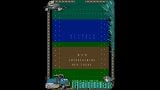
ps3vecx is tbwcjw's PS3 port of the vecx Vectrex emulator. A menu app picks the cartridge, the overlay and the settings, then starts the emulator. You can set the overlay's transparency, the line thickness, screen rotation, vsync, audio gain and phosphor decay. If you see flickering or rolling, the developer suggests changing the phosphor decay. The Vectrex system ROM it needs (rom.dat) is in the package, along with about, boot and controls carts the developer wrote. Your own carts are .vec files.
Controls in the emulator:
- D-pad or left stick: joystick
- Cross, Square, Triangle, Circle: buttons 1 to 4
- Start: pause, Select: restart
- Start + Select: back to the menu
- L1: fast forward on or off
In the menu, D-pad up and down change section, left and right change the option, and X picks it.
Install ps3vecX_01.00.pkg from the Package Manager. To update, don't delete the app from the XMB, as that removes its folder with your carts, overlays and ROMs. Extract the UPDATE zip into /dev_hdd0/game/PS3VECX01 instead. The zip is only for updating an install you already have.
Release notes
v1.00 · Initial Release [1.00] · Nov 9, 2026
Initial release of ps3vecx.
For installation, updating, and troubleshooting see the wiki.
UPDATE_01.00.zip is for updating an existing installation only.