
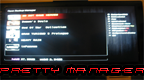
Pretty Manager r4 by Jurai2
This manager is essentially the same as Open Manager, however it has a "prettier" GUI and a few other different features. It also appears to be a bit more organized as well.
Install on your PS3
| File | Size | |
|---|---|---|
| prettymanager_r4vr4.pkg 45865ef3…35ae | 1.1 MB | Send to PS3 Download |
Other ways to install
On the PS3: open store.brewology.com/ps3/pretty-manager/ in its browser, press Download and install it from Package Manager › Install Package Files in the Game column.
From a USB drive: copy prettymanager_r4vr4_brewology_com.pkg to the root of a USB drive (FAT32), plug it into the PS3 and install it from Package Manager › Install Package Files in the Game column.
Screenshots
About Pretty Manager
This manager is essentially the same as Open Manager, however it has a "prettier" GUI and a few other different features. It also appears to be a bit more organized as well. To fully understand you will just have to give it a try. ;)
Changes include the following:
- Loads PIC1.PNG out of the game directory to display in full resolution as the background. Images are cached into /dev_hdd0/game/OMAN46756/cache/ by TitleID in order to speed up browsing of backups on USB devices
- Homebrew mode now displays the current IP address in the bottom left corner
- Multi-language support. Language is determined at runtime based on the current system setting. At the moment the application supports English, Spanish, Portuguese, Italian, German, and Swedish, more to be added hopefully soon
- Displays free space below the available storage devices
- Built in FTP now has access to the full filesystem instead of being trapped in the /OMAN46756/ directory
- Cleanly exits to XMB by watching for CELL_SYSUTIL_REQUEST_EXITGAME
- Includes an option at selection which allows you to launch directly into the selected title (may not work with all backups)
- Hermes patch support (R3 to toggle, may introduce problems)
- Scroll by pages using left/right
- Rapidly scroll using L2 and R2
- Custom boot sound at application startup can be installed to /OMAN46756/USRDIR/BOOT.AT3
- PS3 update files are now skipped when backing up from a bluray disc (saves space)
Special thanks to Hermes, deanrk, liomajor, and other users who helped debug issues and provided translations.