
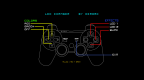
LED Changer v2.0 by deroad
This is a simple led changer. this will change the led color and if it is on mode on/off/blink and it will keep it on that mode also on the XMB for example now my ps3 has green and yellow together
Install on your PS3
| File | Size | |
|---|---|---|
| Led.AllCFW.pkg 04eb8c96…e416 | 149 KB | Send to PS3 Download |
Other ways to install
On the PS3: open store.brewology.com/ps3/led-changer/ in its browser, press Download and install it from Package Manager › Install Package Files in the Game column.
From a USB drive: copy Led.AllCFW_brewology_com.pkg to the root of a USB drive (FAT32), plug it into the PS3 and install it from Package Manager › Install Package Files in the Game column.
Screenshots
About LED Changer
This is a simple led changer.
this will change the led color and if it is on mode on/off/blink and it will keep it on that mode also on the XMB
for example now my ps3 has green and yellow together while blinking
This is a completely new version of Led Changer.
The app allows you to change the colour of your system's LEDs (the power light) and keep it also on the XMB or while playing games/homebrews.
This is NOT permanent; the first time that you turn off your PS3, the led will go back to normal
This version does NOT need any kind of external drive. all you need is a JoyPad; just it.
Now the app is Lighter (from ~1.2 Mb to ~145Kb), Faster, for all TVs (HD/SD) and Easier to use.
Notes:
this is a simple led changer
it reads two var (A and B) from a file.
the file must be called led.txt and placed in the main folder of a USB
an example:
on Windows:
My USB is j so, i will put this file here:
j:/led.txt
on OSX:
My USB is 8GB so, i will put this file here:
/Volumes/8GB/led.txt
on LINUX:
My USB is 8GB so, i will put this file here:
/media/8GB/led.txt
======Colors=======
A Desc B desc
0 red 0 off
1 green 1 on
2 yellow 2 blink