
DS45Pad Installer v2.0.0 by neptune2005
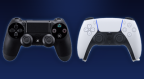
Installer for domyno6773's DualSense-PS3 plugin — DualShock 4 and DualSense controllers on PS3.
Install on your PS3
| File | Size | |
|---|---|---|
| DualSense-PS3-v2.0.0.zip 9810e26a…592b | 40 KB | Download |
| ds45pad-installer-ps3bg.pkg 82fd4881…b755 | 3.8 MB | Send to PS3 Download |
Other ways to install
On the PS3: open store.brewology.com/ps3/ds45pad-installer/ in its browser, press Download and install it from Package Manager › Install Package Files in the Game column.
From a USB drive: copy ds45pad-installer-ps3bg_brewology_com.pkg to the root of a USB drive (FAT32), plug it into the PS3 and install it from Package Manager › Install Package Files in the Game column.
Screenshots
About DS45Pad Installer
DS45Pad Installer installs domyno6773's DualSense-PS3 plugin (v2.0.0, GPL-2.0) on your PS3. The plugin lets DualShock 4 and DualSense controllers work on PS3, including in games that require an official DualShock 3. Plugin by domyno6773; this installer package was put together by Rich (neptune2005).
Release notes
v2.0.0 · Nov 17, 2026
🌟 What's New & Resolved in v2.0.0
- Zero Double-Input in XMB / Dashboard: Assigning the physical controller to Port 7 silences the virtual controller on Port 0 during XMB navigation, eliminating duplicated D-pad and stick inputs.
- Native XMB PS Button Hold (Console Power Menu): Holding the PS button (≥250 ms) in XMB natively brings up the console shutdown menu. The menu stays open upon release, allowing you to navigate, confirm shutdown/turn off controller with Cross (×), and cancel back to dashboard with Circle (◯).
- Full In-Game Recognition as Player 1 (Syscall 573): PS3 games listen to Port 0. Through kernel Syscall 573 (INSERT_INTO_GAME), your Bluetooth DualSense is mapped directly as Player 1 in all games. START (Options button) and SELECT (Create button) work natively. Analog sticks feature calibrated circularity and deadzones, with full analog sensitivity on L2 / R2.
- Interactive In-Game PS Menu Overlay: Tap the physical PS button at any time during gameplay to access the in-game XMB overlay.
- Seamless USB & Bluetooth Coexistence: Plugging in a USB cable while playing on Bluetooth charges the controller safely without creating ghost controllers or duplicate inputs.