
CELL-8 v1.2.0 by ryanradder11
A CHIP-8 emulator for the PS3 with a ROM menu that finds .ch8 files on the hard drive and USB sticks
Install on your PS3
| File | Size | |
|---|---|---|
| Cell-8.pkg 6ceffe2d…73e2 | 161 KB | Send to PS3 Download |
Other ways to install
On the PS3: open store.brewology.com/ps3/cell-8/ in its browser, press Download and install it from Package Manager › Install Package Files in the Game column.
From a USB drive: copy Cell-8.pkg to the root of a USB drive (FAT32), plug it into the PS3 and install it from Package Manager › Install Package Files in the Game column.
Screenshots
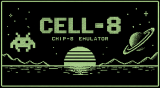
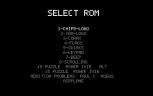
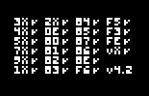
About CELL-8
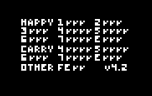
CELL-8 is a CHIP-8 emulator for the PS3, built on PSL1GHT. It's the developer's own SDL2 CHIP-8 interpreter moved over to the PS3, with a ROM menu, pad controls and its own bitmap font. Version 1.1.0 added sound, and 1.2.0 draws the screen with shaders and fades pixels out over a few frames to cut the flicker.
Put .ch8 files in /dev_hdd0/game/CELL80001/USRDIR/roms/ (made on first start) or in a roms folder at the root of a USB stick, and they show up in the menu the next time CELL-8 starts. The package comes with the eight ROMs of Timendus' chip8-test-suite; bring your own games.
Controls:
- D-pad Up / Down and Cross: pick and start a ROM
- Select: back to the menu
- CHIP-8 keys 1 2 3: L1, Up, R1
- 4 5 6: Left, Circle, Right
- 7 8 9: L2, Down, R2
- 0 A B: Start, L3, R3
Release notes
v1.2.0 · Cell-8 v1.2.0 · Sep 13, 2026
Feat: Added simple vertex shaders for drawing the 64x32 screen only one color and simple shaders as of now. Added a 4 frame buffer and 3 frame fade-out for pixels that are X-OR'ed by CHIP-8 engine. The constant redrawing caused heavy flickering which is alleviated by the 3 frame fade-out