

Postal 1 3DS v1.0.0 by Taifuoguru
Port of Postal 1 built from the released Postal source, played with your own game files
Install on your 3DS
Method 1Scan the QR code
With FBI (Remote Install › Scan QR Code) or 3dsDL (Scan QR Code). Either one installs it.
Method 2Send it to your 3DS
Open 3dsDL › Receive on the same Wi-Fi, then press:
Send to 3dsDL Not working?
Other ways to install
From your SD card: copy postal1-3ds.3dsx into /3ds/ and start it from the Homebrew Launcher.
Send can't find your 3DS? Type the address 3dsDL shows on Receive, then press Send.
Send to 3dsDL
Files
| File | Size | SHA-256 | |
|---|---|---|---|
| postal1-3ds.cia | 1.4 MB | 4119698b…d5d8 | Download |
| postal1-3ds.3dsx | 2.3 MB | 0a6d3e76…6a29 | Download |
Screenshots
About Postal 1 3DS
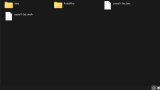
Only the engine is included. Copy these from your own PC copy into sdmc:/3ds/postal/data/: res.sak, shell.sak, game.sak, system1.fnt, smash.fnt and POSTAL.INI. Some installs also need the original title and res folders, copied with their names and contents as they are. The .3dsx and .smdh go in sdmc:/3ds/postal/.
If you get a black screen at startup, press Start. The author calls it alpha: the campaign plays on real hardware, but some levels may be slow or have problems. They think it should run on an Old 3DS but don't have one to try.
The bottom screen shows health and armour, ammo, an FPS counter, a radar for nearby targets and a touchpad for aiming. Select opens a cheat console with god mode, infinite ammo and a level skip.
- Circle Pad: move
- C-Stick or touchpad: aim
- R or ZR: fire
- L or ZL: throw a grenade or molotov
- D-Pad left and right: previous and next weapon
- D-Pad up and down: quick weapon select
- X: execute
- Y: suicide
- Start: pause
If you get a black screen at startup, press Start. The author calls it alpha: the campaign plays on real hardware, but some levels may be slow or have problems. They think it should run on an Old 3DS but don't have one to try.
The bottom screen shows health and armour, ammo, an FPS counter, a radar for nearby targets and a touchpad for aiming. Select opens a cheat console with god mode, infinite ammo and a level skip.
- Circle Pad: move
- C-Stick or touchpad: aim
- R or ZR: fire
- L or ZL: throw a grenade or molotov
- D-Pad left and right: previous and next weapon
- D-Pad up and down: quick weapon select
- X: execute
- Y: suicide
- Start: pause
Release notes
v1.0.0 · Postal 1 Engine Port for 3DS · Sep 17, 2026
Hi everyone! This is a completely new port compared to the old one—please read the updated instructions. If you get a black screen on startup, press Start to continue. I suspect it should work on Old 3DS models, but I don't have one to test it on. Please report any bugs if you find them!