

Cro-Mag Rally v3ds-v1.1.0 by fordcars
Pangea Software's caveman kart racer from 2000, ported from Jorio's modern version
Install on your 3DS
Method 1Scan the QR code
With 3dsDL (Scan QR Code). Save it to sdmc:/3ds/.
Method 2Send it to your 3DS
Open 3dsDL › Receive on the same Wi-Fi, then press:
Send to 3dsDL Not working?
Other ways to install
From your SD card: copy CroMagRally.3dsx into /3ds/ and start it from the Homebrew Launcher.
Send can't find your 3DS? Type the address 3dsDL shows on Receive, then press Send.
Send to 3dsDL
Files
| File | Size | SHA-256 | |
|---|---|---|---|
| CroMagRally.3dsx | 91.2 MB | ac46e25e…1a3f | Download |
Screenshots

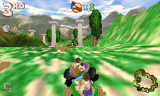
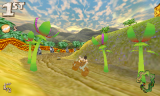
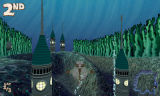
About Cro-Mag Rally
You're Brog, a caveman racing through the Stone, Bronze and Iron Ages in things like the Bone Buggy and the Logmobile, lobbing Bone Bombs and homing pigeons at everyone else. Pangea Software made it for the Mac in 2000.
fordcars ported it from Jorio's version, which rebuilt the original OS 9 game for current systems and fixed its bugs. Jorio's port was made with Pangea's permission and is licensed CC BY-NC-SA 4.0.
- D-Pad: menus
- A: accelerate
- B: reverse
- Y: brake
- X: look behind
- L: throw backwards
- R: throw forwards
- Select: change camera
- Start: pause
fordcars ported it from Jorio's version, which rebuilt the original OS 9 game for current systems and fixed its bugs. Jorio's port was made with Pangea's permission and is licensed CC BY-NC-SA 4.0.
- D-Pad: menus
- A: accelerate
- B: reverse
- Y: brake
- X: look behind
- L: throw backwards
- R: throw forwards
- Select: change camera
- Start: pause
Release notes
v3ds-v1.1.0 · Version 1.1.0 · Jul 2, 2024
This update brings many improvements over the initial release, mostly:
- Performance improvements
- Fixed graphics issues relating to blending (particles look nice now)
- Fixed main menu crash
- Added minimap on lower screen
- Many other fixes and improvements
Note:
DSP firmware must be present at sdmc:/3ds/dspfirm.cdc. This can be obtained by using Luma3DS - select "Miscellaneous options..." in the Rosalina menu then "Dump DSP firmware" from there. If running on an emulator, you can simply copy an empty file named dspfirm.cdc to a folder named 3ds on your virtual SD card.