

Install on your 3DS
Method 1Scan the QR code
With 3dsDL (Scan QR Code). Save it to sdmc:/3ds/.
Method 2Send it to your 3DS
Open 3dsDL › Receive on the same Wi-Fi, then press:
Send to 3dsDL Not working?
Other ways to install
From your SD card: copy Bugdom.3dsx into /3ds/ and start it from the Homebrew Launcher.
Send can't find your 3DS? Type the address 3dsDL shows on Receive, then press Send.
Send to 3dsDL
Files
| File | Size | SHA-256 | |
|---|---|---|---|
| Bugdom.3dsx | 35.8 MB | 079bad45…f7a9 | Download |
Screenshots
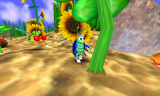
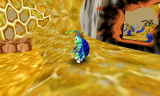
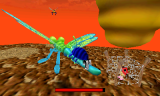
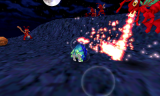
About Bugdom
Bugdom came out on the Mac in 1999. You play Rollie McFly, a pill bug trying to free the ladybugs from King Thorax. fordcars ported it to the 3DS from Jorio's modern version.
Sound needs the DSP firmware at sdmc:/3ds/dspfirm.cdc. Dump it from Rosalina: Miscellaneous options, then Dump DSP firmware.
- Circle Pad or D-Pad: walk or roll
- A: jump or boost
- B: morph
- X: buddy bug
- Y: kick
- L and R: look left and right
- Start: pause
Sound needs the DSP firmware at sdmc:/3ds/dspfirm.cdc. Dump it from Rosalina: Miscellaneous options, then Dump DSP firmware.
- Circle Pad or D-Pad: walk or roll
- A: jump or boost
- B: morph
- X: buddy bug
- Y: kick
- L and R: look left and right
- Start: pause
Release notes
v1.0.0 · Initial Release · Jan 25, 2025
This is the inital release of Bugdom 3DS!
Installation
Simply download the 3dsx file and place on your SD card in the 3ds directory.
Note:
DSP firmware must be present at sdmc:/3ds/dspfirm.cdc. This can be obtained with Luma3DS—simply select "Miscellaneous options..." in the Rosalina menu, then "Dump DSP firmware" from there. If running on an emulator, you can simply copy an empty file named dspfirm.cdc to a folder named 3ds on your virtual SD card.
Known issues:
- Long loading times
- No proper lighting