

3DS Random Game Launcher v0.2.2 by selloa
Rolls a random title from what's installed and starts it, with rerolls and filters
Install on your 3DS
Method 1Scan the QR code
With FBI (Remote Install › Scan QR Code) or 3dsDL (Scan QR Code). Either one installs it.
Method 2Send it to your 3DS
Open 3dsDL › Receive on the same Wi-Fi, then press:
Send to 3dsDL Not working?
Other ways to install
From your SD card: copy 3DS-Random-Game-Launcher-v0.2.2.3dsx into /3ds/ and start it from the Homebrew Launcher.
Send can't find your 3DS? Type the address 3dsDL shows on Receive, then press Send.
Send to 3dsDL
Files
| File | Size | SHA-256 | |
|---|---|---|---|
| 3DS-Random-Game-Launcher-v0.2.2.3dsx | 611 KB | b66ed01d…5c85 | Download |
| 3DS-Random-Game-Launcher-v0.2.2.cia | 655 KB | 3196c7bf…d31f | Download |
Screenshots
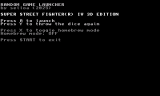
About 3DS Random Game Launcher
It looks through what's installed on the SD card, the NAND or both, picks something at random and shows you its name. Reroll as often as you want, then press A to start it. Names come from each title's icon data, with an offline list of more than 8,700 titles to fall back on.
Filters decide what can come up: Virtual Console, DSiWare, demos, DLC, patches, system titles and so on. Unlisted mode adds homebrew and anything else the list doesn't know, as long as it has a readable name. Your options are saved to the SD card.
- A: launch the pick
- Y: reroll
- L/R: game, details and technical info pages
- X: unlisted mode on or off
- Select: options and filters
- Start: quit
Based on an idea by einso.
Filters decide what can come up: Virtual Console, DSiWare, demos, DLC, patches, system titles and so on. Unlisted mode adds homebrew and anything else the list doesn't know, as long as it has a readable name. Your options are saved to the SD card.
- A: launch the pick
- Y: reroll
- L/R: game, details and technical info pages
- X: unlisted mode on or off
- Select: options and filters
- Start: quit
Based on an idea by einso.
Release notes
v0.2.2 · Jul 4, 2026
3DS Random Game Launcher v0.2.2
Default filter and layout tweaks over v0.2.1.
Highlights
- Default filters: demos are now excluded by default; short game names preferred (toggle Long game name in Options)
- Details page layout fix on the DETAILS tab
- Banner artwork updated to v0.2.2
Note: If you already have saved options on SD, your settings are kept. Use Restore defaults in Options to reset to the new defaults.
Controls
- A Launch selected title
- Y Reroll
- L/R Switch Game / Details / Technical pages
- SELECT Options / filters
- X Toggle homebrew-only mode (Game page)
- START Exit
Install
- 3DSX: copy to 3ds/ on SD card, launch from Homebrew Launcher
- CIA: install with FBI or Universal Updater for a Home Menu icon
Universal Updater users on Universal-DB should see this update after the store refreshes.